

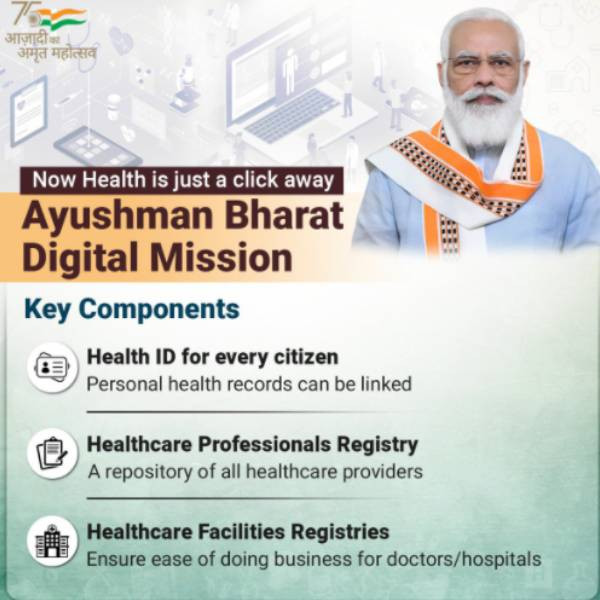
What is the Ayushman Bharat Digital Mission?
The Ayushman Bharat Digital Mission (ABDM) is a key initiative by the Government of India focused on developing a digital health ecosystem. This program provides each citizen with a unique Health ID, allowing for easy access to their health records. By leveraging technology, ABDM aims to improve the efficiency of healthcare services and ensure quality care for everyone.
Key Benefits of ABDM
- Unique Health ID: Each citizen receives a Health ID that centralizes their health records for easy management.
- e-Sanjeevani: This telemedicine service enables remote consultations with doctors, improving access to healthcare in rural areas.
- Interoperability: Digital health records can be shared among various healthcare providers, ensuring seamless care.
- Data Security: Your health data is protected and can only be accessed with your consent, ensuring privacy.
- Enhanced Health Services: Technology integration leads to better management of health services and resources.
Who is Eligible for ABDM?
All residents of India can benefit from the Ayushman Bharat Digital Mission, ensuring everyone has access to digital health services.
Documents Needed for Registration
To create your Health ID and access ABDM services, you’ll need:
- Aadhaar card or another government-issued ID
- A mobile number for verification
- Email ID (optional, but recommended for updates)
Steps to Apply for ABDM
Applying for the Ayushman Bharat Digital Mission is simple. Follow these steps:
Step 1: Visit the Official ABDM Website
Go to the official ABDM website at mygov.in.
Step 2: Register for Your Health ID
Select the option to create a Health ID and enter your mobile number and other required details.
Step 3: Verify Your Mobile Number
You’ll receive an OTP (One Time Password) on your mobile. Enter this OTP to verify your number.
Step 4: Fill Out Your Details
Provide your name, age, gender, and address. Double-check your information for accuracy.
Step 5: Submit Your Application
After filling in all the details, submit your application. You will get a confirmation message once your Health ID is created.
Cost and Processing Time
Applying for the Ayushman Bharat Digital Mission is free. Your Health ID is typically generated instantly, allowing you immediate access to your digital health records.
Need Help? Contact the Helpline
If you have questions or need assistance with the Ayushman Bharat Digital Mission, reach out to the helpline:
- Toll-Free Number: 14567
- Email: support@abdm.gov.in
Frequently Asked Questions
| Question | Answer |
|---|---|
| What is the Ayushman Bharat Digital Mission? | A government initiative to create a digital health ecosystem in India, providing citizens with a unique Health ID and access to health records. |
| How do I create my Health ID? | Visit the official ABDM website and follow the registration process. |
| Is there a fee to apply for the Health ID? | No, applying for the Health ID is free. |
| Can I access my health records from different hospitals? | Yes, your health records can be shared across various healthcare providers for continuity of care. |
| What if I face issues while applying? | Contact the helpline at 14567 or email support@abdm.gov.in for assistance. |
The Ayushman Bharat Digital Mission empowers you to take charge of your health. By creating your Health ID, you can easily access your health records, making healthcare more efficient and personalized. Start today!
Related Articles
Topics
Disclaimer: The information in 'Your Guide to Ayushman Bharat Digital Mission (ABDM): Health ID, Records & e-Sanjeevani' is provided for general informational purposes only and may contain inaccuracies or be out of date. Always verify critical details and consult qualified professionals where appropriate.